With Office Project 2007, you can use task relationships to electronically create task sequencing. In this article, learn how.
Finish-to-Start (FS)
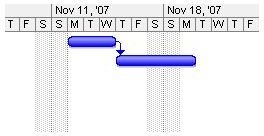
In a
, the predecessor task must reach completion before the successor task can begin.
Finish-to-Finish (FF)
In a
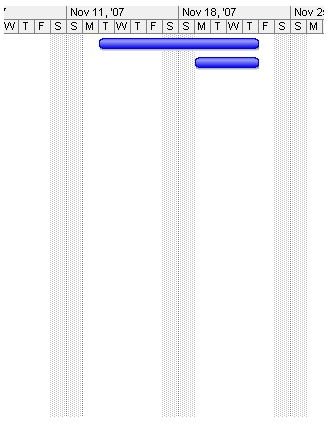
, the predecessor task and the successor task reach completion at the same time. Thus the completion date is determined by whichever task finishes later.
Start-to-Start (SS)
In a
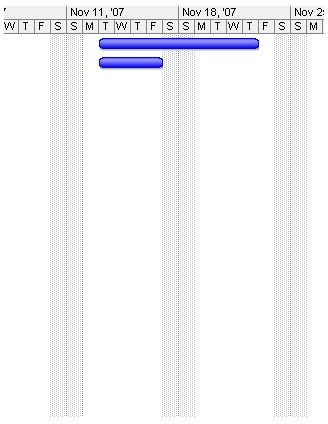
, the predecessor task and the successor task begin at the same time.
Start-to-Finish (SF)
Although a
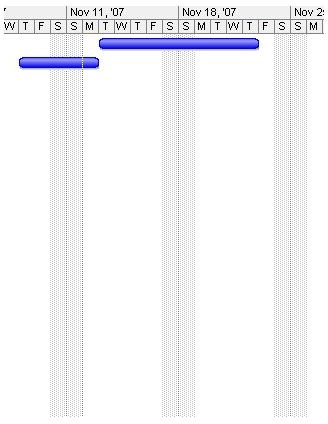
is rarely used, it is available. In this relationship the successor task can finish when the predecessor tasks starts.
Of the four relationship types, Finish-to-Start is the default and most commonly used. This relationship type creates a project flow that allows each successor task to begin after its predecessor task has finished.
After relationships have been assigned, you can see a more accurate representation of your project in terms of appropriate activity sequences and total project duration.
Real World Example
A “workaround” that people new to project management sometimes try is to manually enter start and finish dates for each task in the Entry table. This way, tasks start on the day the project manager assumes is correct. Although this approach might display what appears to be an accurate Gantt Chart , that chart is accurate only until project work begins.
When you begin to manually modify a task’s start and finish dates, you prevent Office Project 2007 from doing what it was intended to do—create a project schedule based on tasks and their durations. Through this automatic scheduling, when a change occurs in one task, you can immediately see the domino-effect of change throughout the entire project schedule in the form of the new Change Highlighting and an updated Gantt Chart.
When the start and finish date fields have been manually overwritten, each time one task changes the project manager is forced to go through all affected tasks and enter new start and finish dates. Instead, you can utilize Office Project 2007’s task relationships and constraints to define task start and finish dates without impeding the automatic scheduling of the software.
Excerpted from…
With permission from Microsoft Press, this article content was excerpted from the book, Managing Projects with Microsoft Office Project 2007 (Self-Paced Training Kit for Exam 70-632) .
This post is part of the series: Project 2007: Working with Task Relationships
With Office Project 2007, you can use task relationships to electronically create task sequencing. In this article, learn how.